
Release Bonus
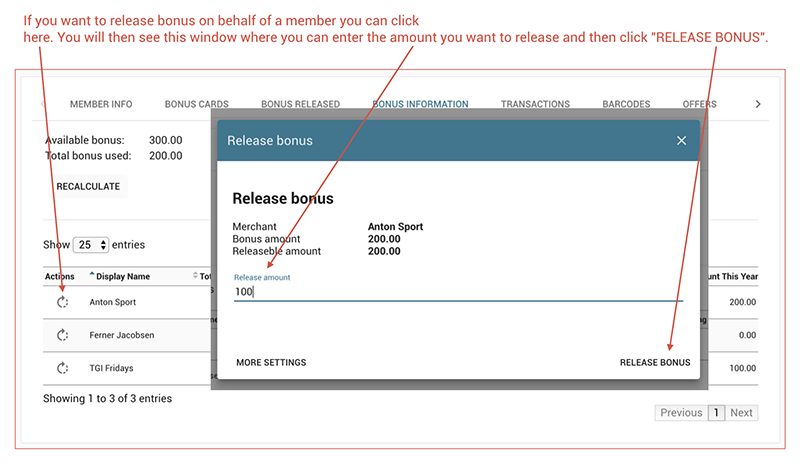
How to release a bonus on behalf of a member and deduct it from their bonus account through the 'Bonus information' tab.
To release a bonus on behalf of a member, navigate to the **Bonus Information** tab. Click the **Release Bonus** action button on the left side of the member's row, then complete the confirmation steps in the dialog that appears. The released bonus amount will be deducted from the member’s bonus account balance.
Next: View Bonus Released