Reverse a Bonus Release
Instructions for reversing a bonus release through the 'Bonus released' tab.
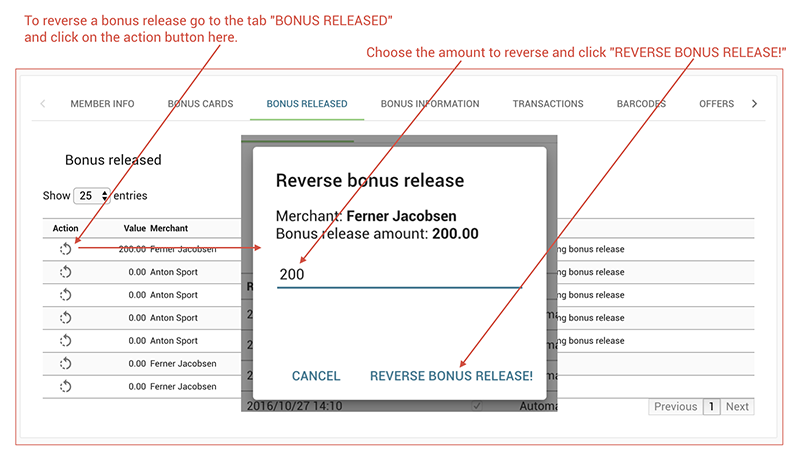
To reverse a bonus release, go to the "Bonus released" tab, click the action button named "Reverse bonus release”, and follow the on-screen instructions.
- Go to the Bonus released tab.
- Click the action button named Reverse bonus release.
- Follow the on-screen instructions to complete the reversal.