
Create products for member benefits in Mews
Steps for administrators to set up Mews products that activate member benefits in the booking engine and at reception.
Mews products are used to deliver member benefits. Connected to a member rate, they remind reception of the guest's benefits and simplify redemption of fixed benefits. Visible products show the member their perks in the booking engine, while hidden products are added automatically through product rules. We recommend combining instant, convenience, and revisit benefits, see our program strategy for more.
Create a bookable product
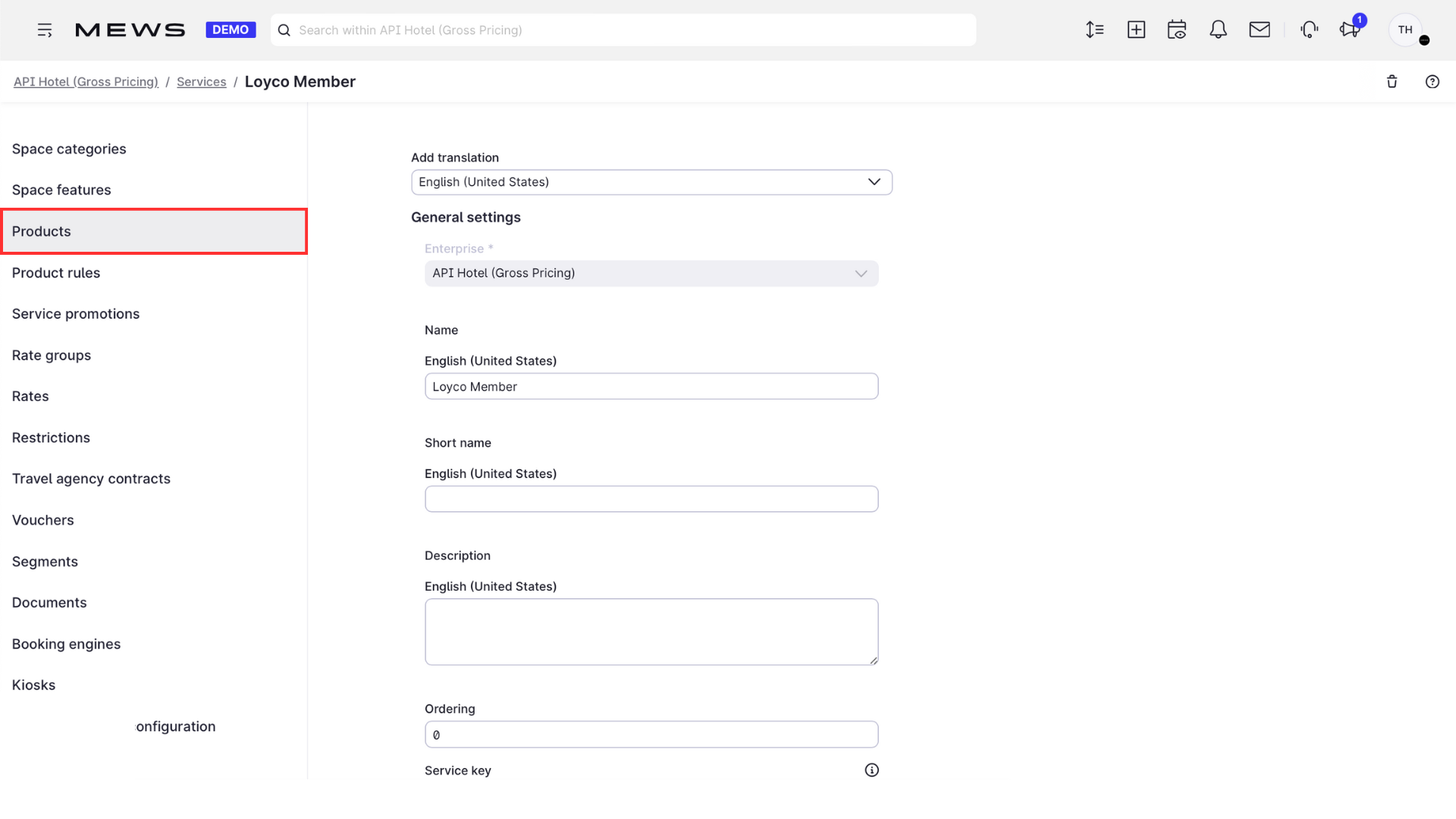
1. Open Products
In Mews, click Products.
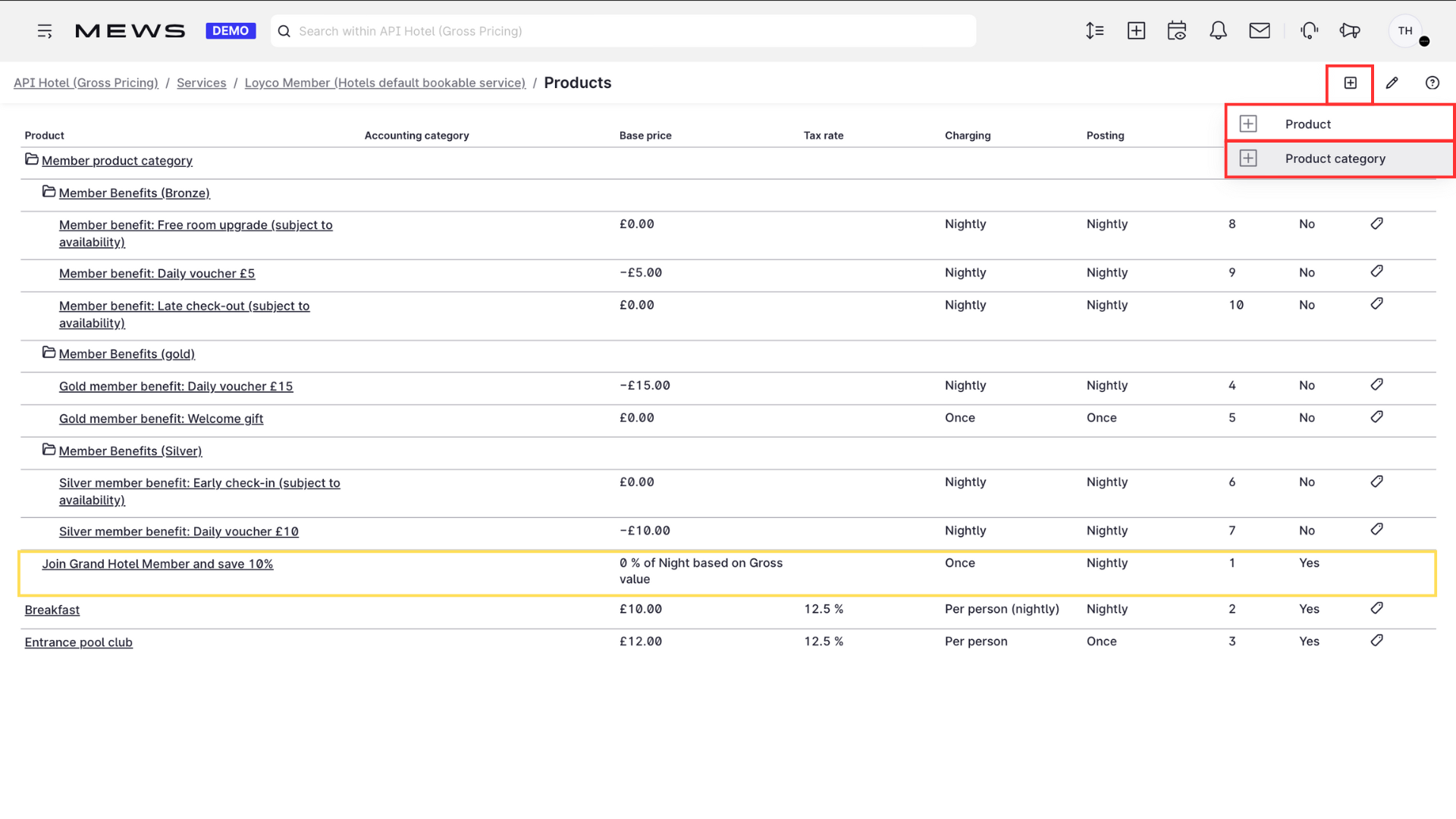
2. Create a new product
Click + to create a new bookable product. Choose a Product category to structure the benefits, with or without member levels.
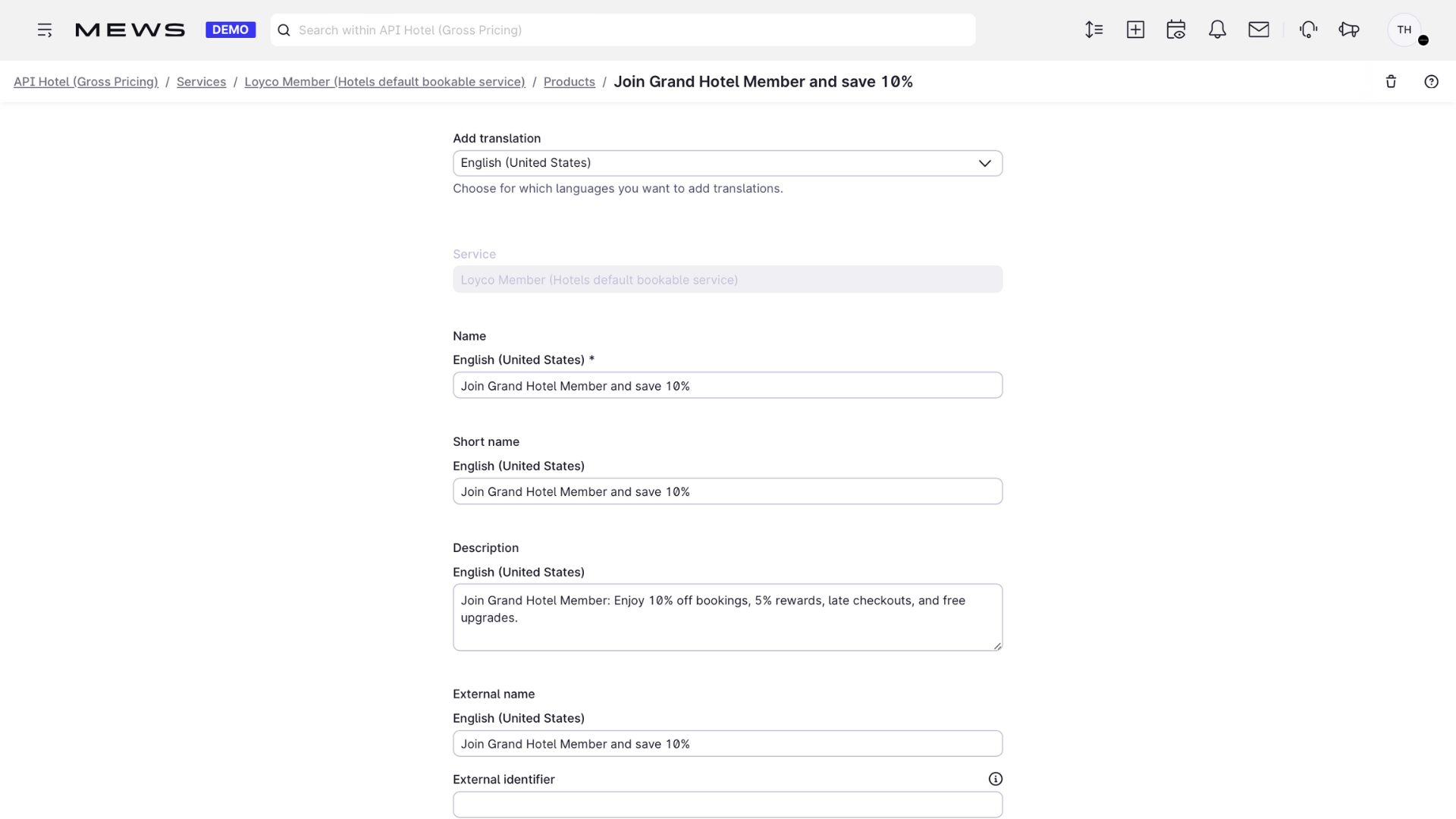
3. Add name and description
Give the product a name and a description.
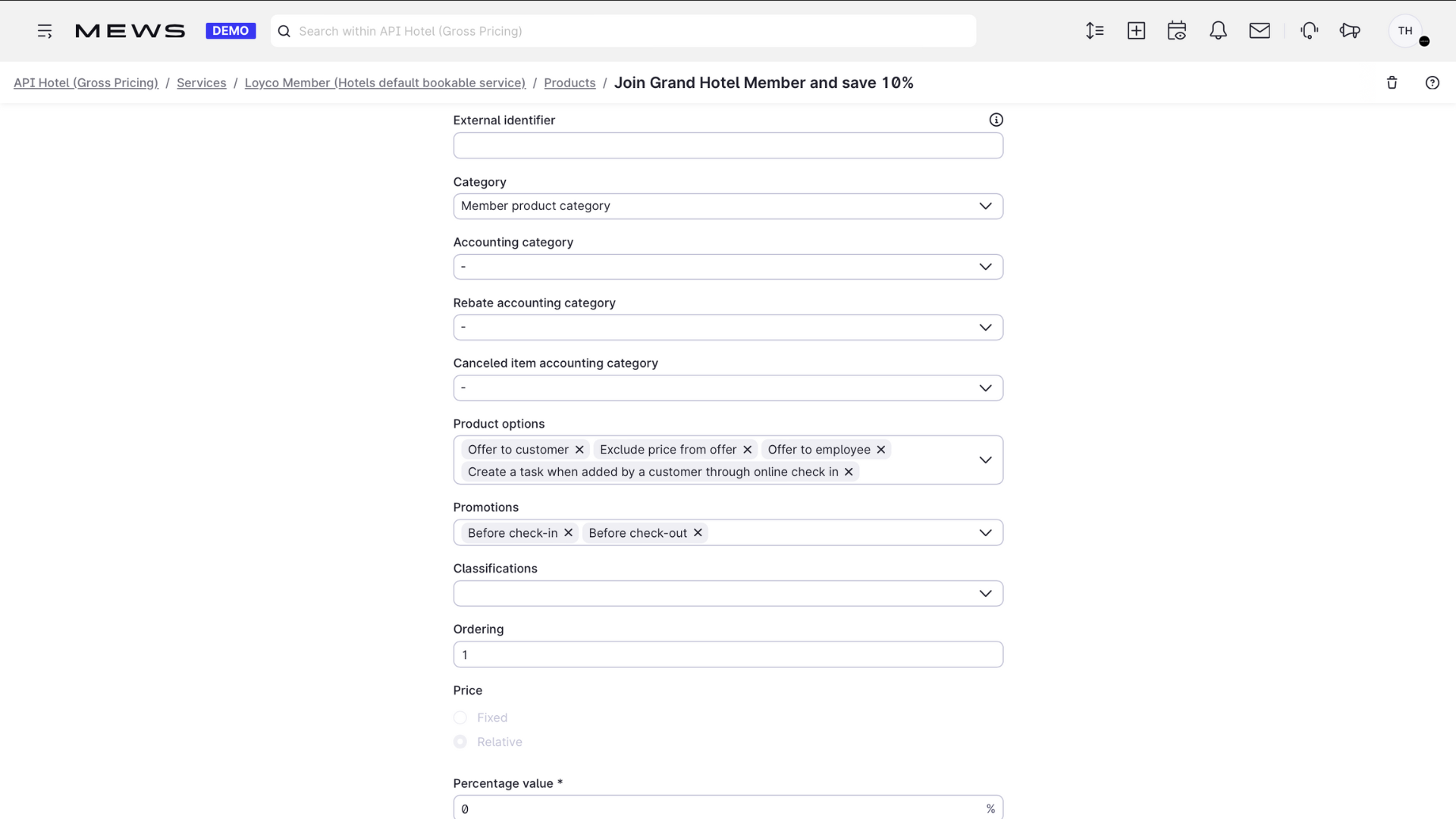
4. Set category and availability
Choose the category and where the product is available under Product options.
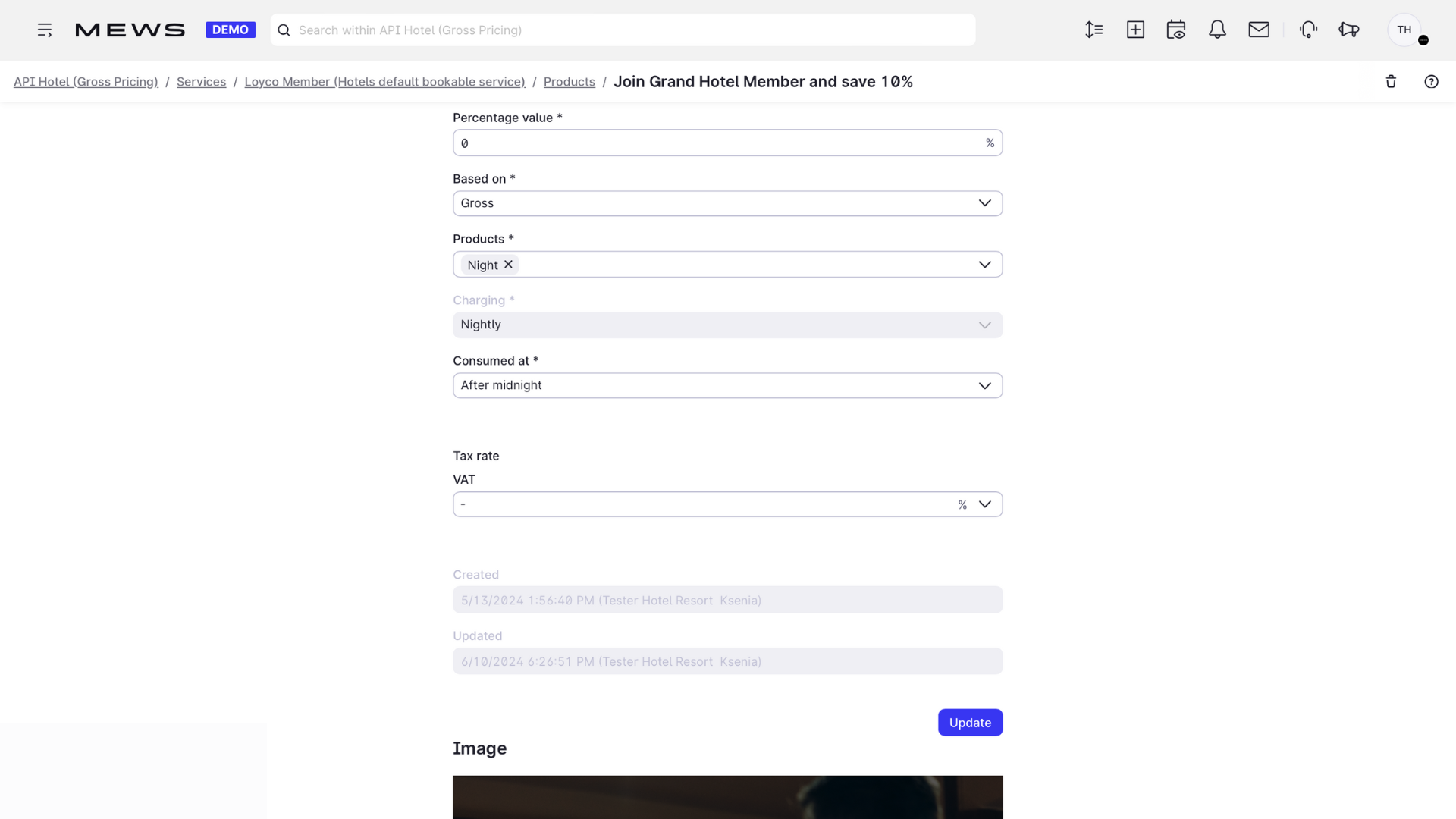
5. Set the pricing
Choose relative pricing.
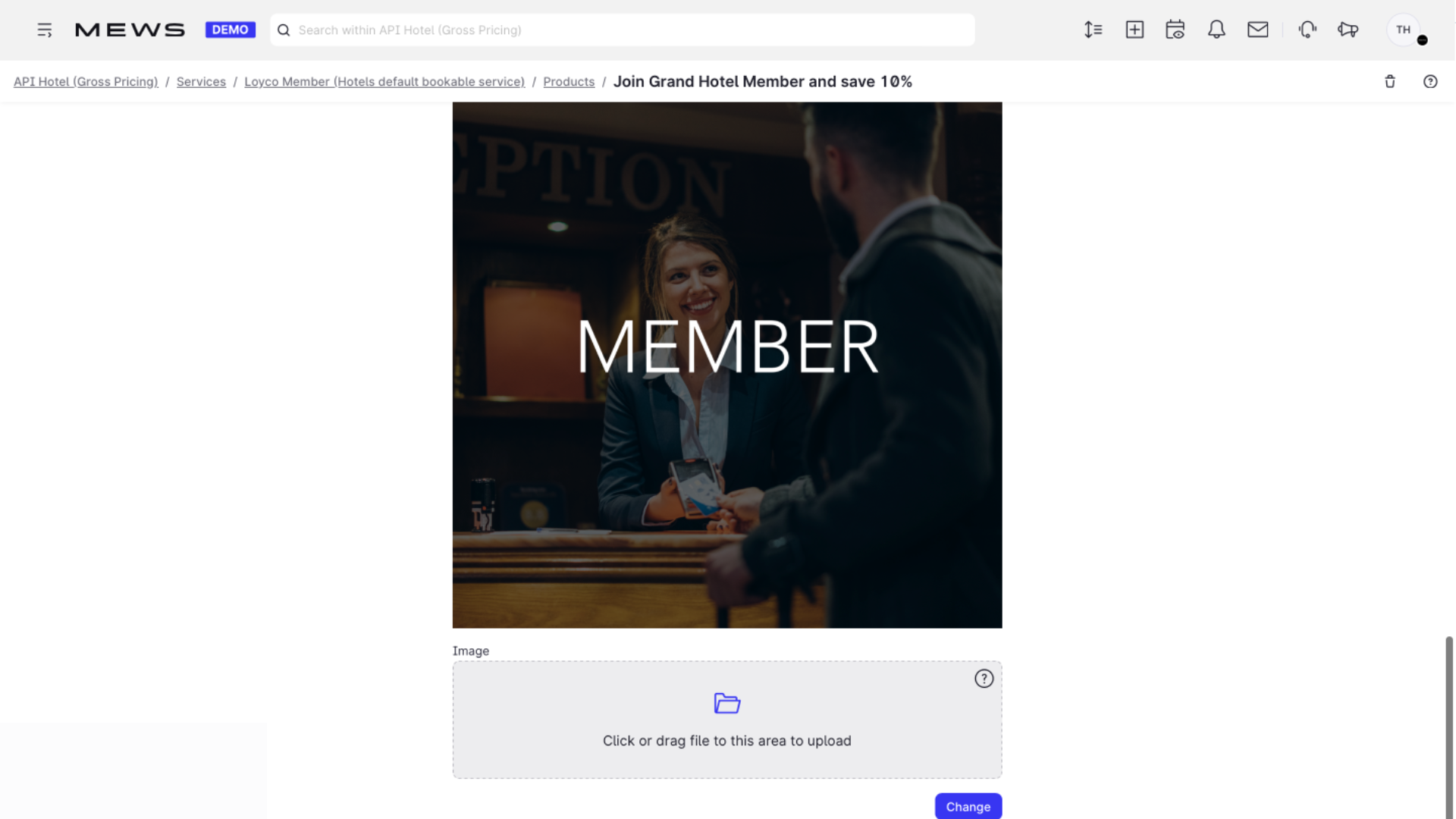
6. Add an image
Add a relevant image so the benefit is easy to recognize in the booking engine.
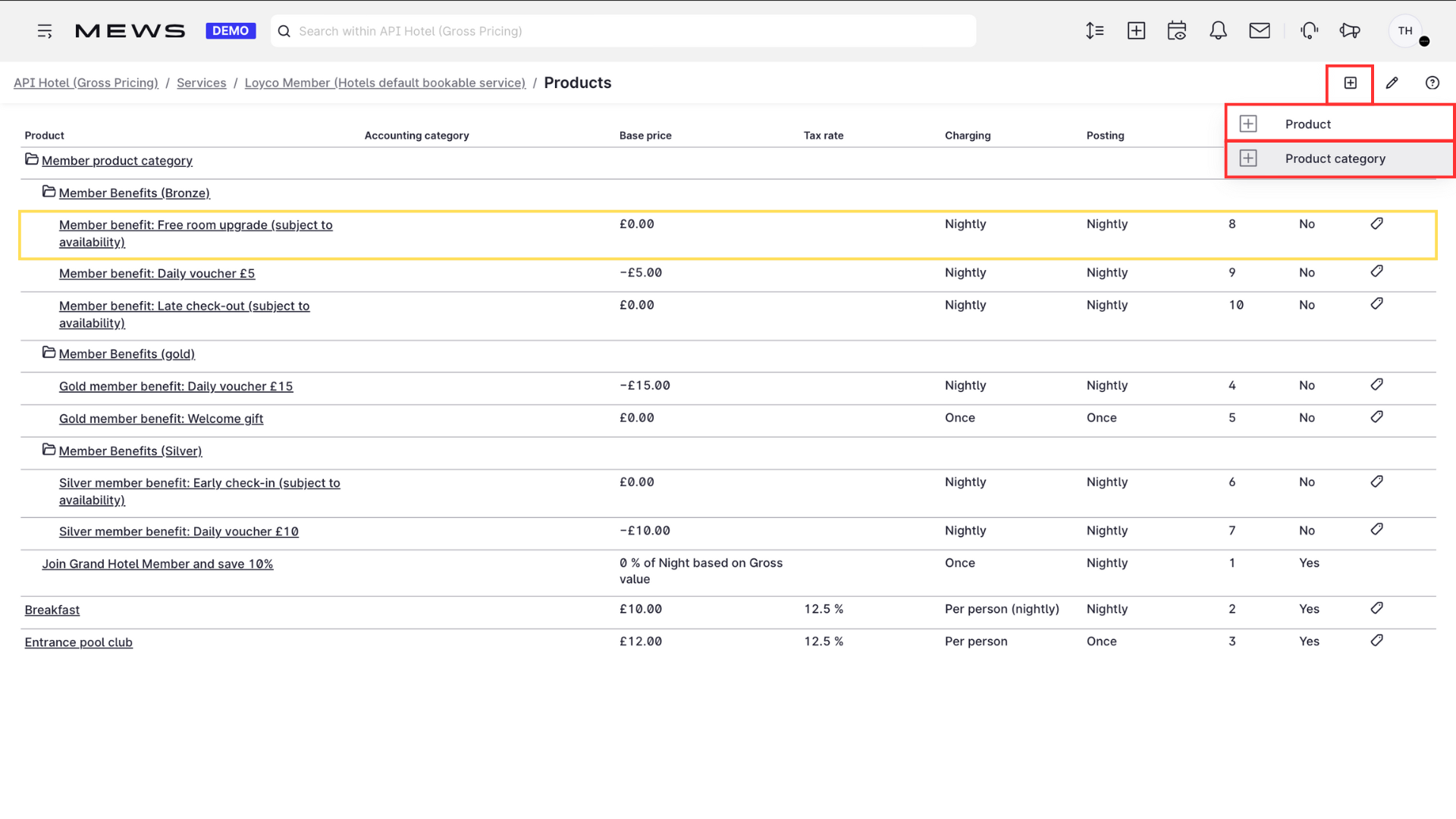
Set up hidden products for product rules
Hidden products are added to reservations automatically through product rules, without being shown as an option to the guest.
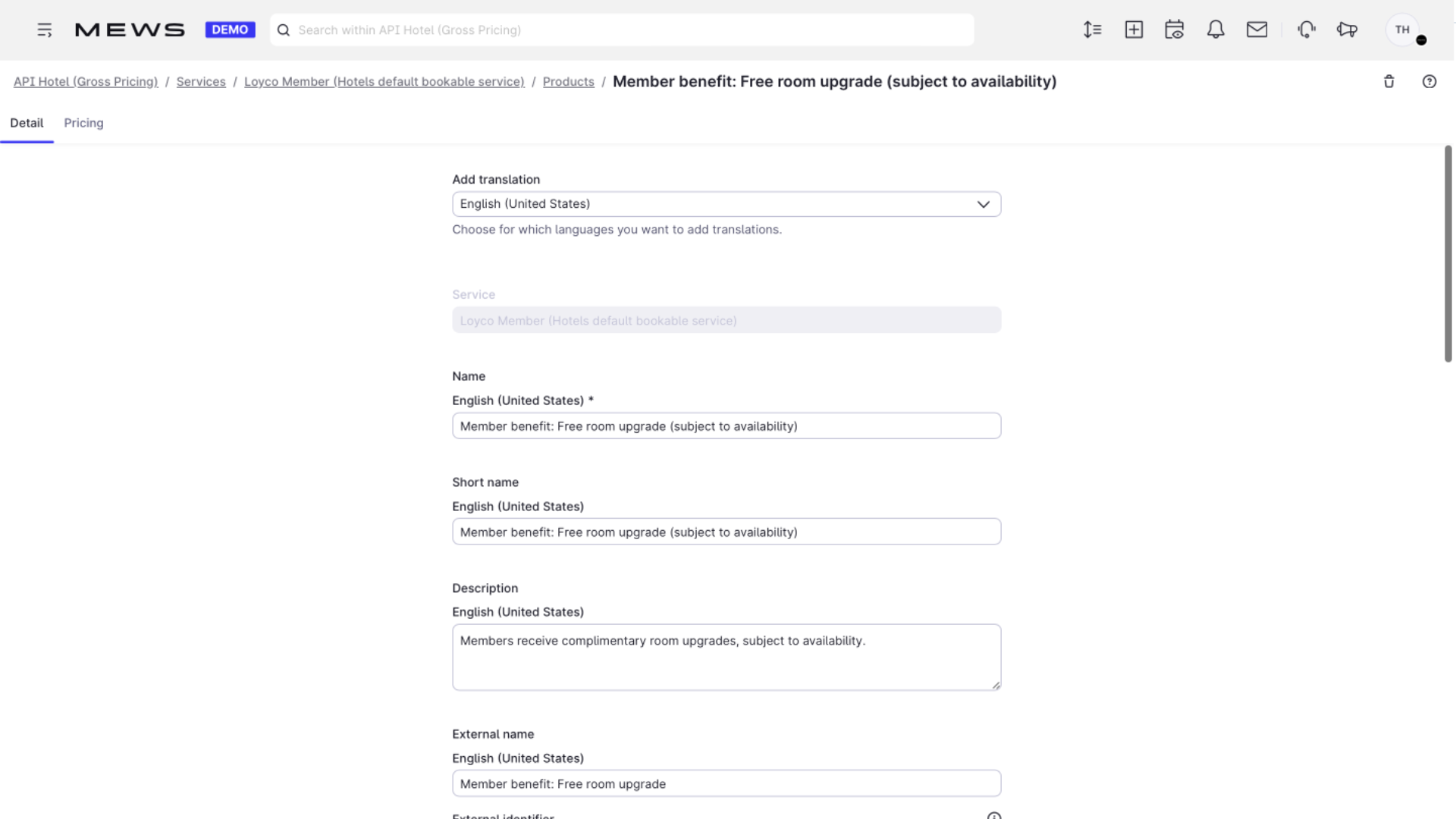
1. Name the product clearly
Choose names wisely. If you have member levels, include the level in the name, for example "Late check-out - Level 2".
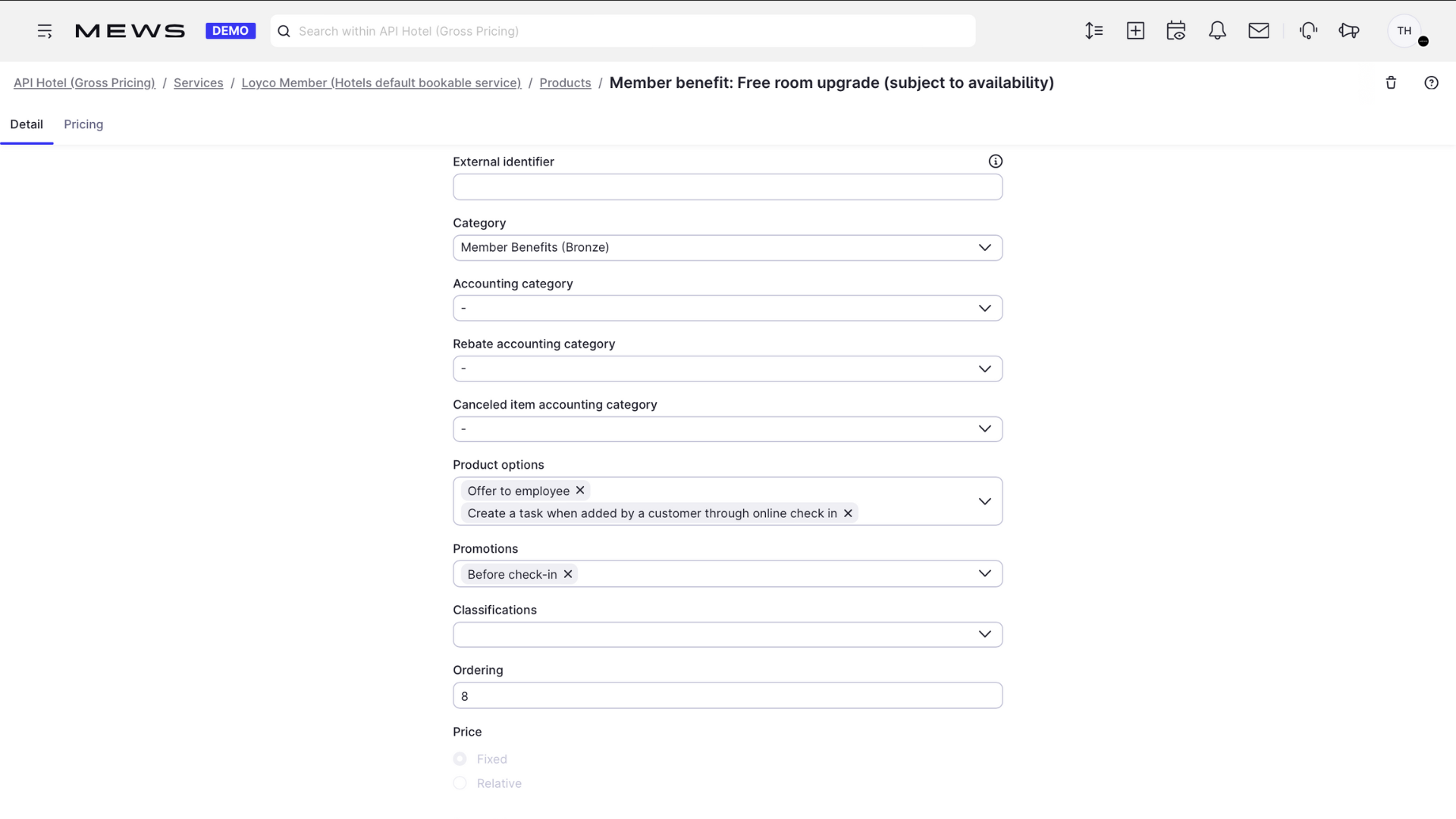
2. Hide it from guests
Deselect Offer to customer.
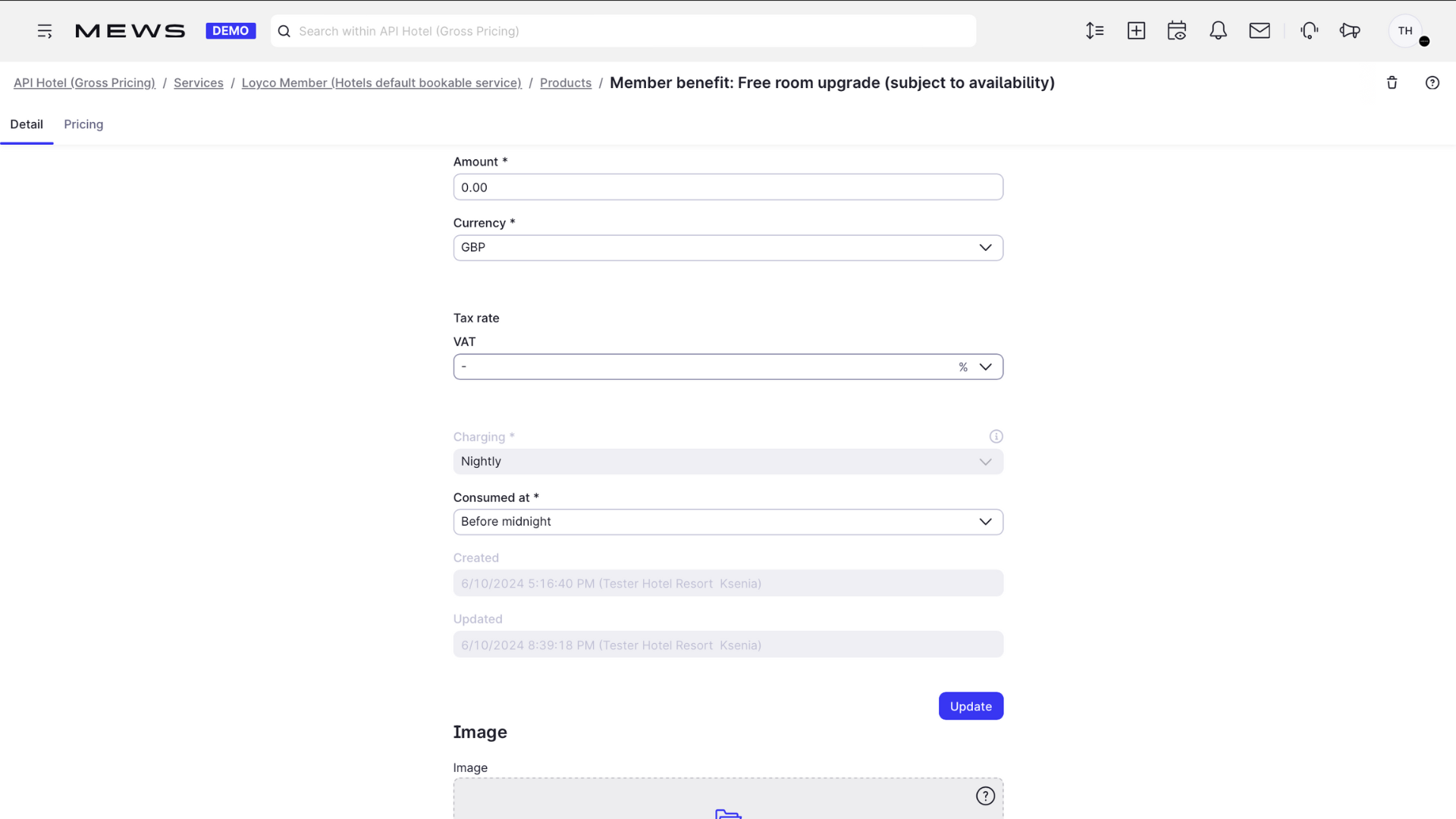
3. Set the price to 0
Add price 0 so the benefit is free for the member.
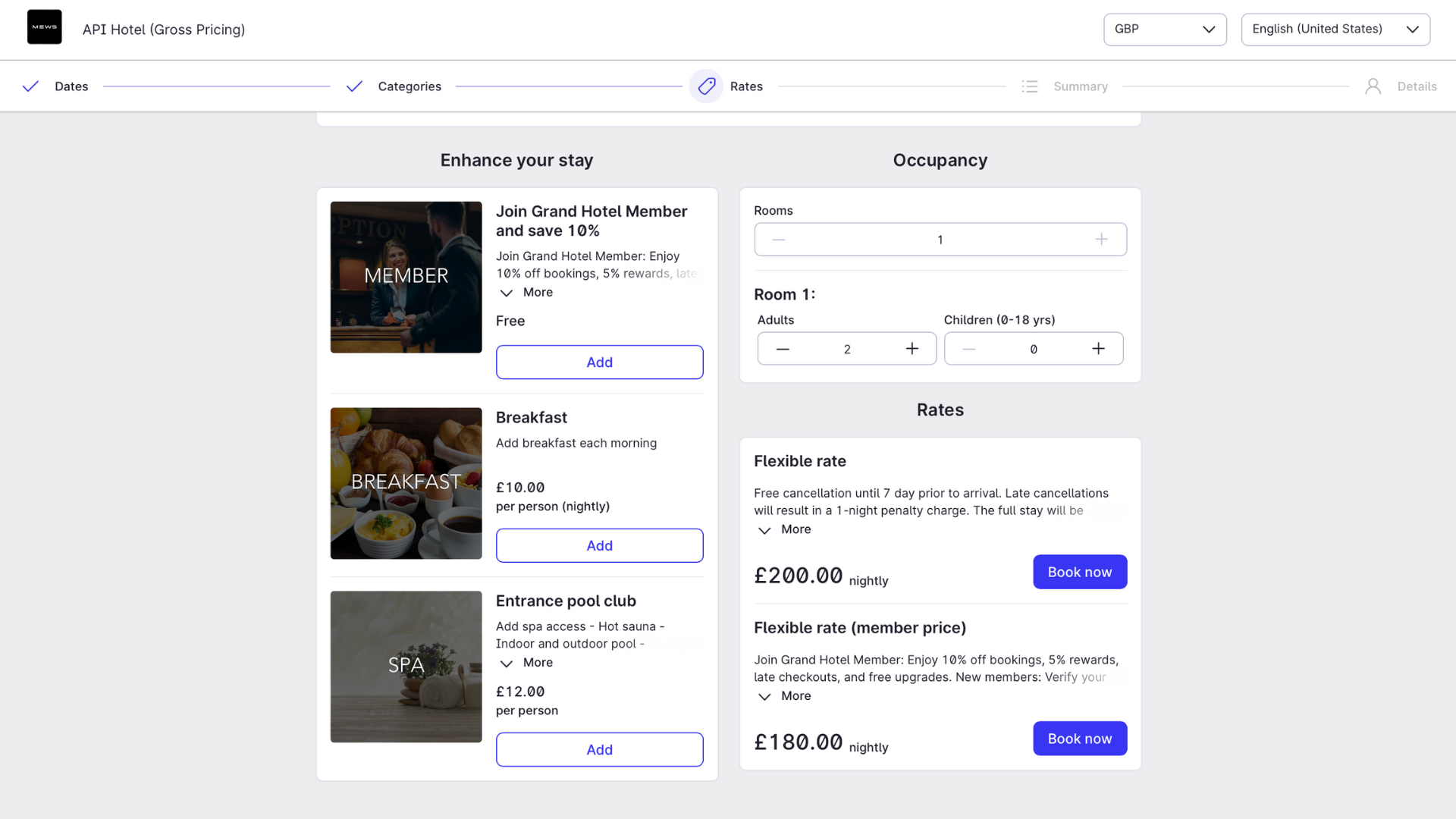
4. Verify the setup
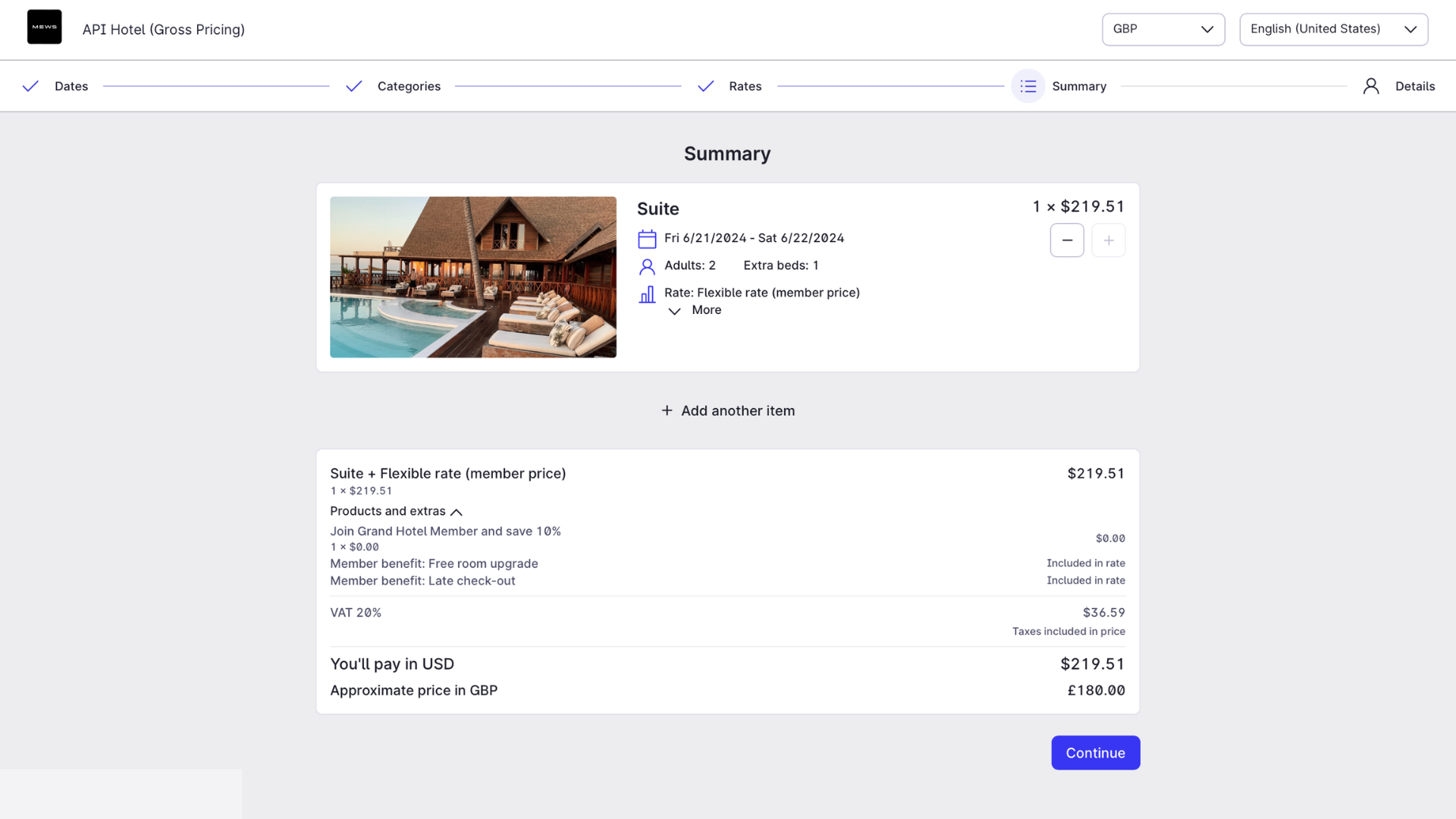
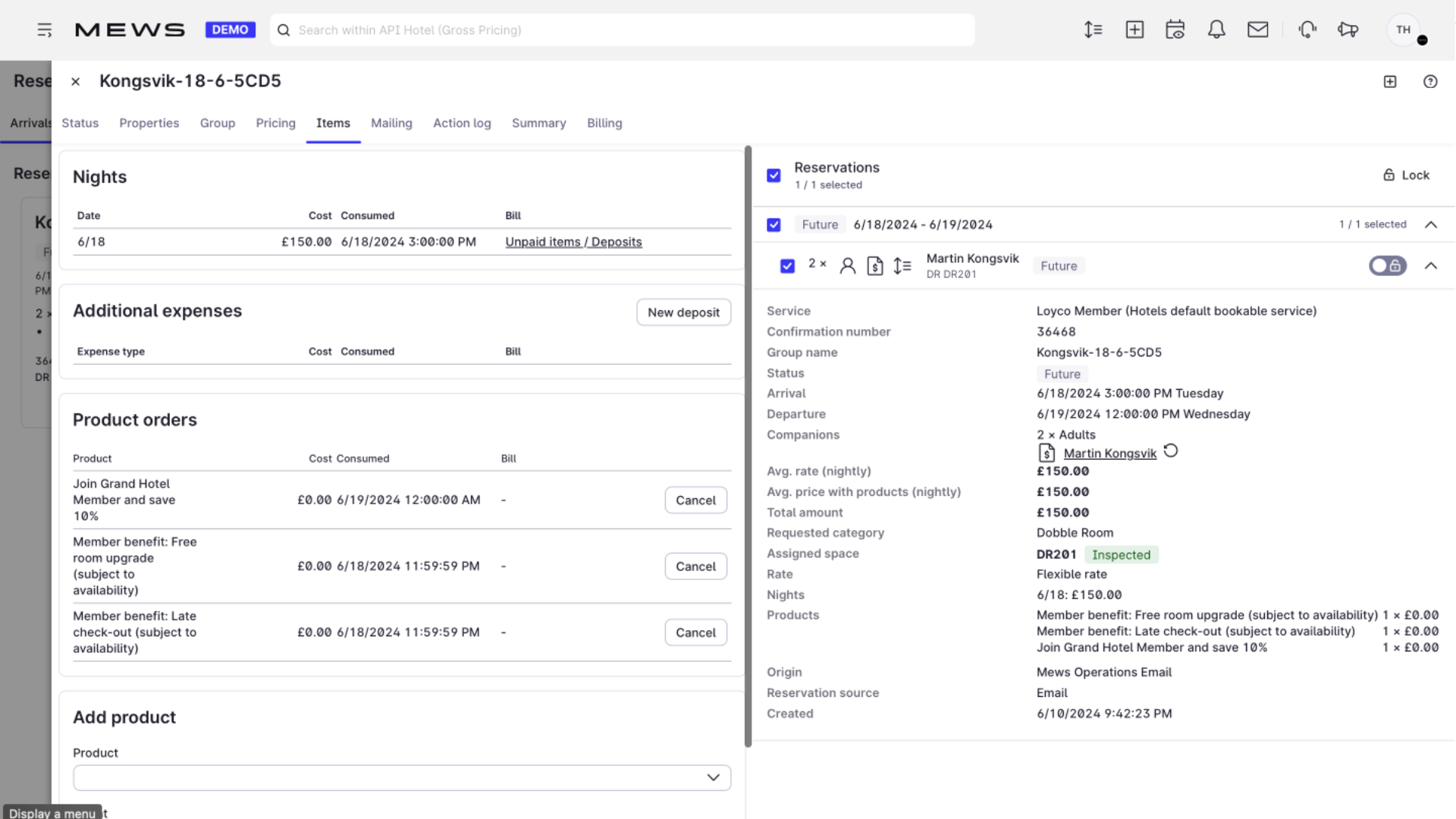
Check that visible products appear in the booking engine, that hidden products are added automatically via product rules, and that both show correctly in the reservation overview.
Good to know
- These are standard Mews products. Their role in the loyalty program comes from how they are connected to member rates and product rules.
- Products attached to a rate also work as a checklist for reception: the reservation overview shows exactly which benefits the guest is entitled to.
- If both the member rate and a product carry a discount, the guest can get a double discount. Keep the discount in one place only. See Create member rates.